The FirstImpact platform
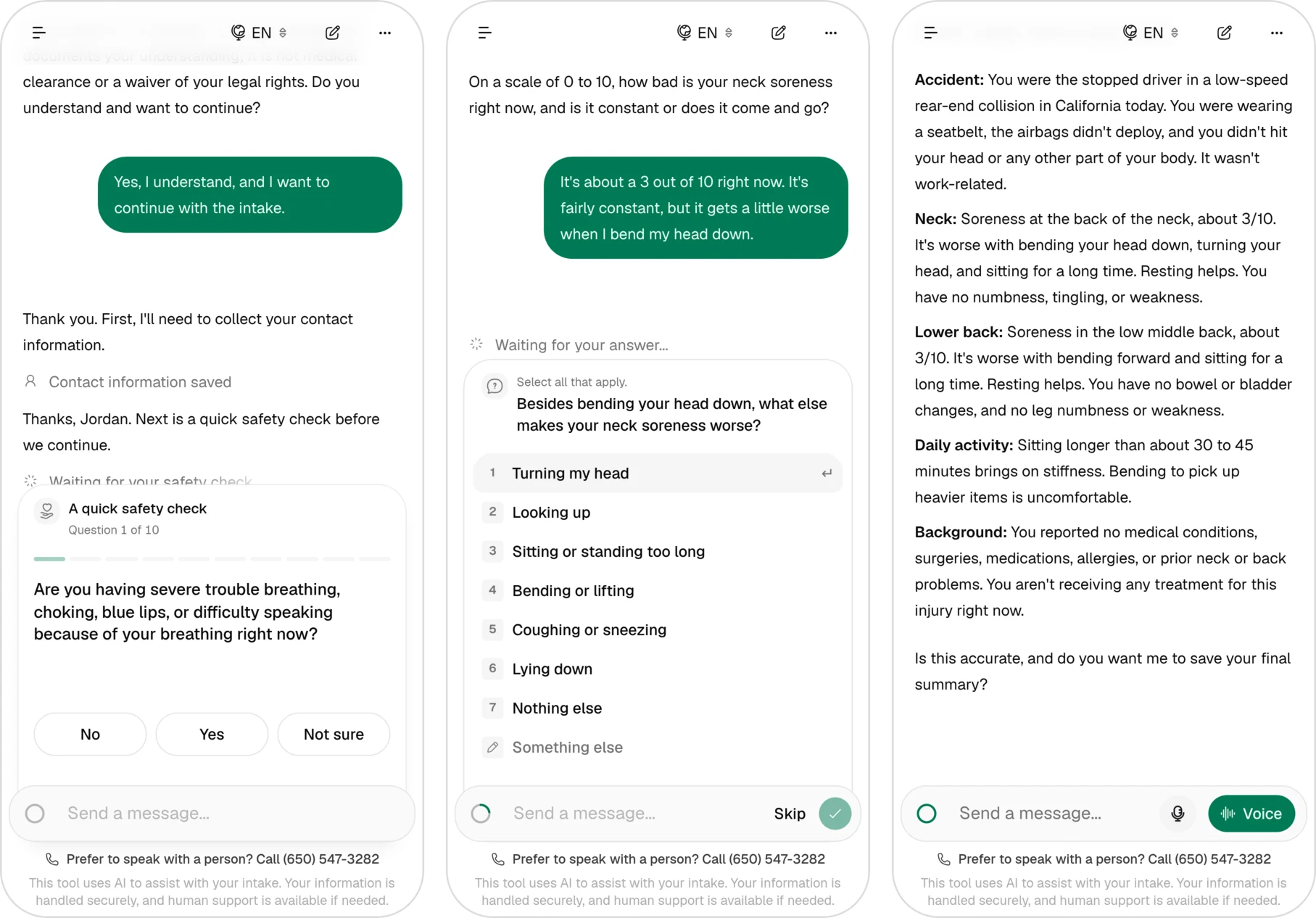
FirstImpact Med is a small US startup in personal-injury medicine. Its platform takes a patient from an AI-guided intake to a clinical report signed by a doctor, and lets the patient's law firm follow the case. It's live, and real patients now go from intake to a signed report in a few hours. There are four of us on the team, and most of the code came from me and one other developer.
What I worked on
We all touched most of the codebase, but these are the parts I drove:
- The law firm portal. Firms invite patients through links that check their ID, open cases for them, and track each case, report and lien.
- The doctor's note. Doctors edit the note the AI drafted, using per-doctor templates I built, and sign it. I wrote most of the plugin that files the signed note into the clinic's medical records system.
- The intake chat. I fixed the chat replying twice after retries, and AI tool calls running in parallel and overwriting each other's writes.
- Checking the AI's work. An AI auditor reviews signed reports, and every finding has to point to a real record. An admin dashboard shows where cases slow down and how much each AI feature is used.
- Billing. Bills are created when a doctor signs and mailed out with tracking. An AI reads billing emails and suggests what to do, and an admin confirms it.
Stack. TanStack Start, tRPC, Drizzle and Postgres, Inngest, Better Auth, the Vercel AI SDK with Claude, and Python for the records plugin.
Link. firstimpactmed.com
Why it exists
Personal-injury care in the US often runs on a lien. The clinic treats the patient now and gets paid when the case settles. The usual flow goes like this:
- After an accident, the patient goes to a law firm.
- The firm refers them to a clinic, and the clinic schedules them.
- An assistant calls the patient to take their history and get the lien signed before the visit.
- A doctor sees the patient, evaluates them and writes the note.
- Once the note is final, the clinic sends it to the law firm.
The whole process used to take days. The platform replaces the online version of it. The assistant's phone call becomes an AI intake the patient does on their own, and they sign the lien right after it. The doctor starts from a note the AI drafted from the intake. The law firm follows the case in its own portal instead of waiting to hear from the clinic.
Spotlight: letting a law firm invite its patients
A patient has to be verified with an ID before they can sign their lien. The firm already knows the patient's name and date of birth, so the plan was simple. The firm enters those details and sends the patient a link, and the patient proves they're that person.
The hard part was keeping it easy for the patient. Most of our patients aren't technical, and every extra step was friction for them. The first version had the patient make an account and enter a one-time code we sent by SMS. Then we matched their ID against the details the firm entered. In the end the patient doesn't make an account or enter a code at all. They open the link, scan their ID, and they're in.
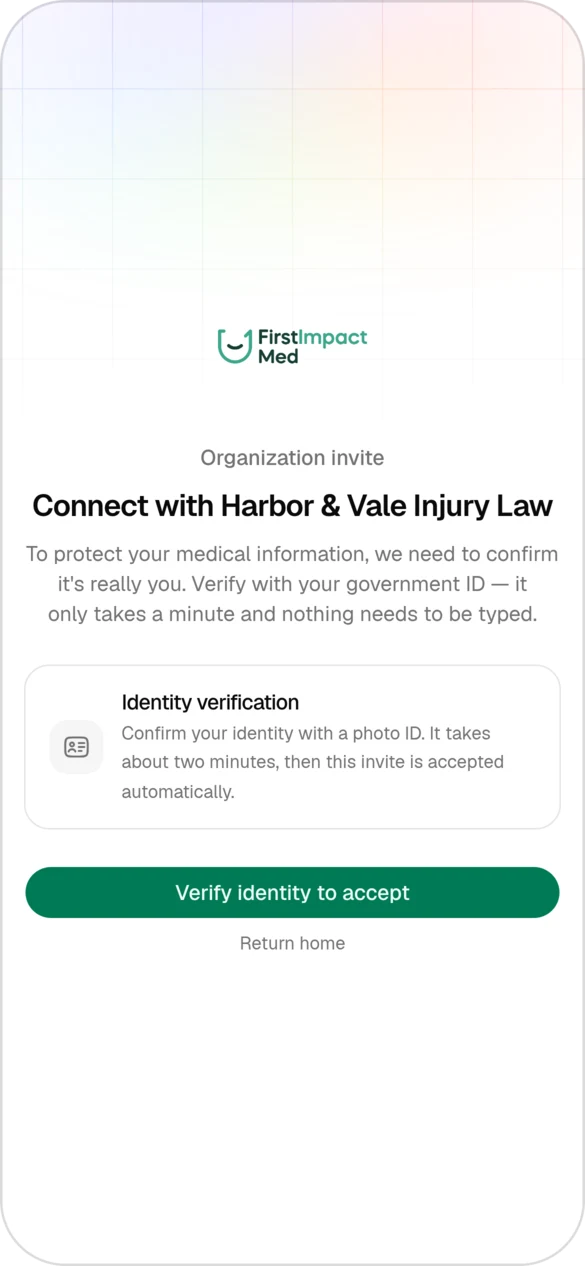
Dropping the account and the code meant the link and the ID check had to carry all the security:
- The link's token is only stored as a hash, and it expires after 7 days.
- The name and date of birth on the ID have to match what the firm entered. I expected names to be typed differently from the ID, with accents, two surnames or a missing middle name. So the comparison is locale-aware, and it only loosens the surname match when the date of birth matches exactly.
- After 5 failed attempts the invite locks, and the firm sends a fresh link.
- The server runs the whole check again when the patient accepts, and accepting is a single atomic step. The same patient can't join a firm twice, even from two tabs.
The ID result arrives by webhook while the patient waits on the page. Webhooks can come late, twice or out of order, so I designed for that from the start. Only the latest attempt counts, and a status never goes backwards, so a late failure can't undo a success.
Spotlight: where the doctor's note lives
A signed note isn't done until it's in the clinic's medical records system as a real record. That means coded diagnoses, medications, labs and imaging orders, not a PDF attached to a chart. I wrote most of a Python plugin that runs inside that system, plus the editor doctors use.
The editor works in the records system's own structure. The plugin exposes search endpoints for diagnoses, medications, allergies, labs and imaging, and both the AI drafting step and the doctor's editor use them. Whatever a doctor picks is already the exact coded item the records system expects.
The first version kept the note in the records system. We pushed the AI's draft there, read it back to show the doctor, and signed it there. Then doctors needed to edit notes inside our platform, and the records system doesn't allow editing the custom entries we were writing.
So I moved the note into our database until the doctor signs. Every edit is a write to our own tables. When the doctor signs, one workflow sends the finished note to the records system once and signs it there. I kept the note in the exact shape the records system used to return, so the review screens didn't need to change, and the switch went in smoothly.
The same change removed "unsign". Once a note has been sent, with its PDF and billing line, undoing all of it cleanly wasn't worth the risk. A signed note is final now.
What I learned
- Find out what the other system can't do before you design around it. One limit in the records system, entries we couldn't edit, decided where the note lives.
- Build the simple version first. Requirements changed a lot here. Doctors were going to edit in the records system, then in our editor. There were no prescriptions, then there were. People could belong to one firm, then several. Now I build the simplest version that works and ship it. If nobody complains, everyone's happy and I've saved myself work.
- How to build with AI agents. This is where I learned to code with agents. By the time I started my next project, the review tool, I had an order for fixing their mistakes, which I picked up from Lauren Tan (@poteto). When an agent gets something wrong, I fix it at the highest level I can:
- The codebase. There's one way to do each thing, and the code itself shows how things are written, so an agent copies the right pattern. I clean up between sprints of work and keep code comments rare, because comments drift out of date and mislead agents.
- Static analysis. Strict types and lint rules catch what the codebase alone can't.
- Prose. An
AGENTS.mdcovers what can't be checked automatically. - Human review. It comes last. Before I look, an agent can check its own work with evals, end-to-end tests, the browser and small CLIs.