Inscribe
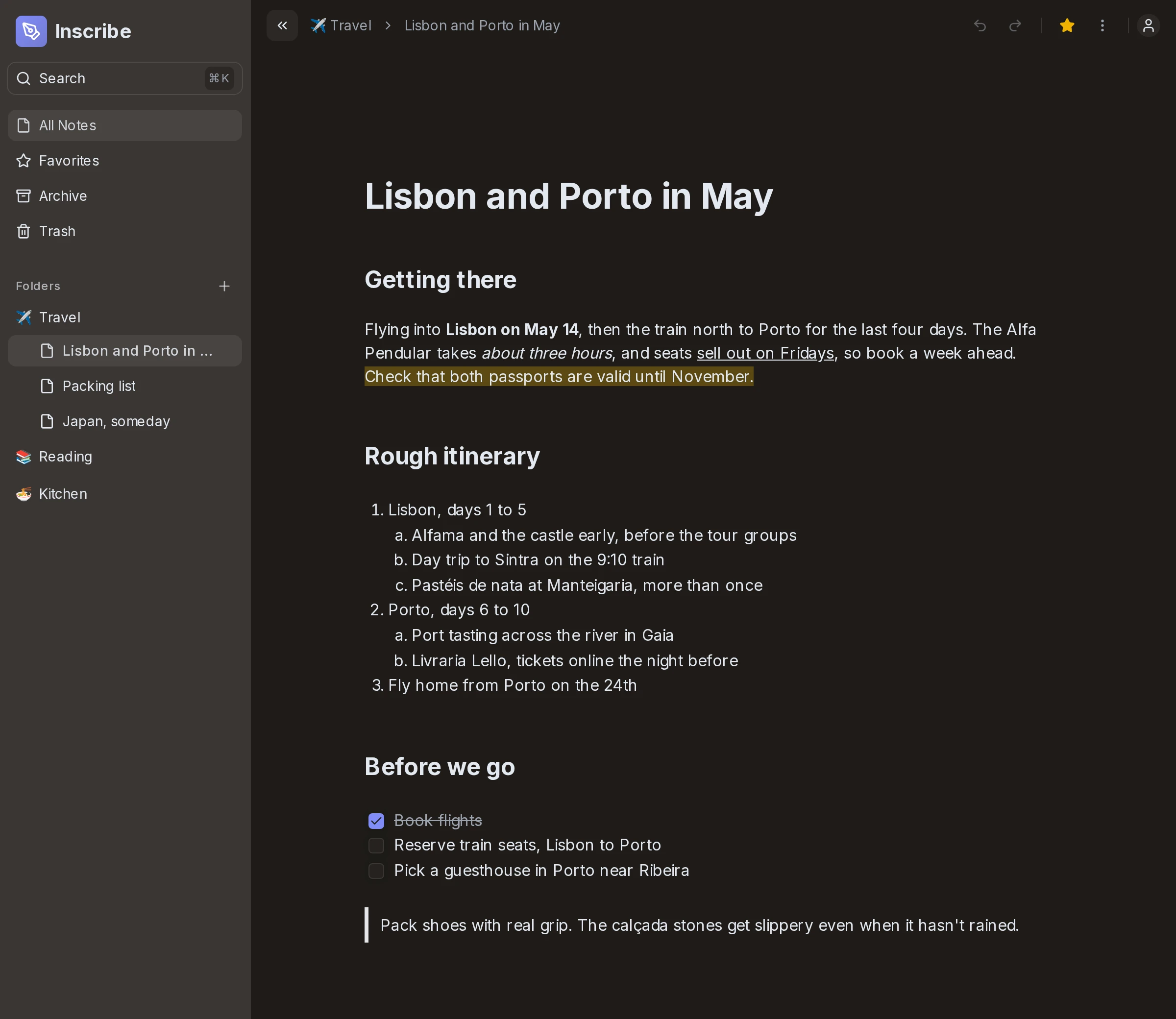
Inscribe is a notes app I built on my own in the summer of 2025. It saves your notes in the browser first, so it works offline, and syncs them to a server in the background. I wrote the text editor in it myself, without an editor library like Tiptap or Lexical.
What I built
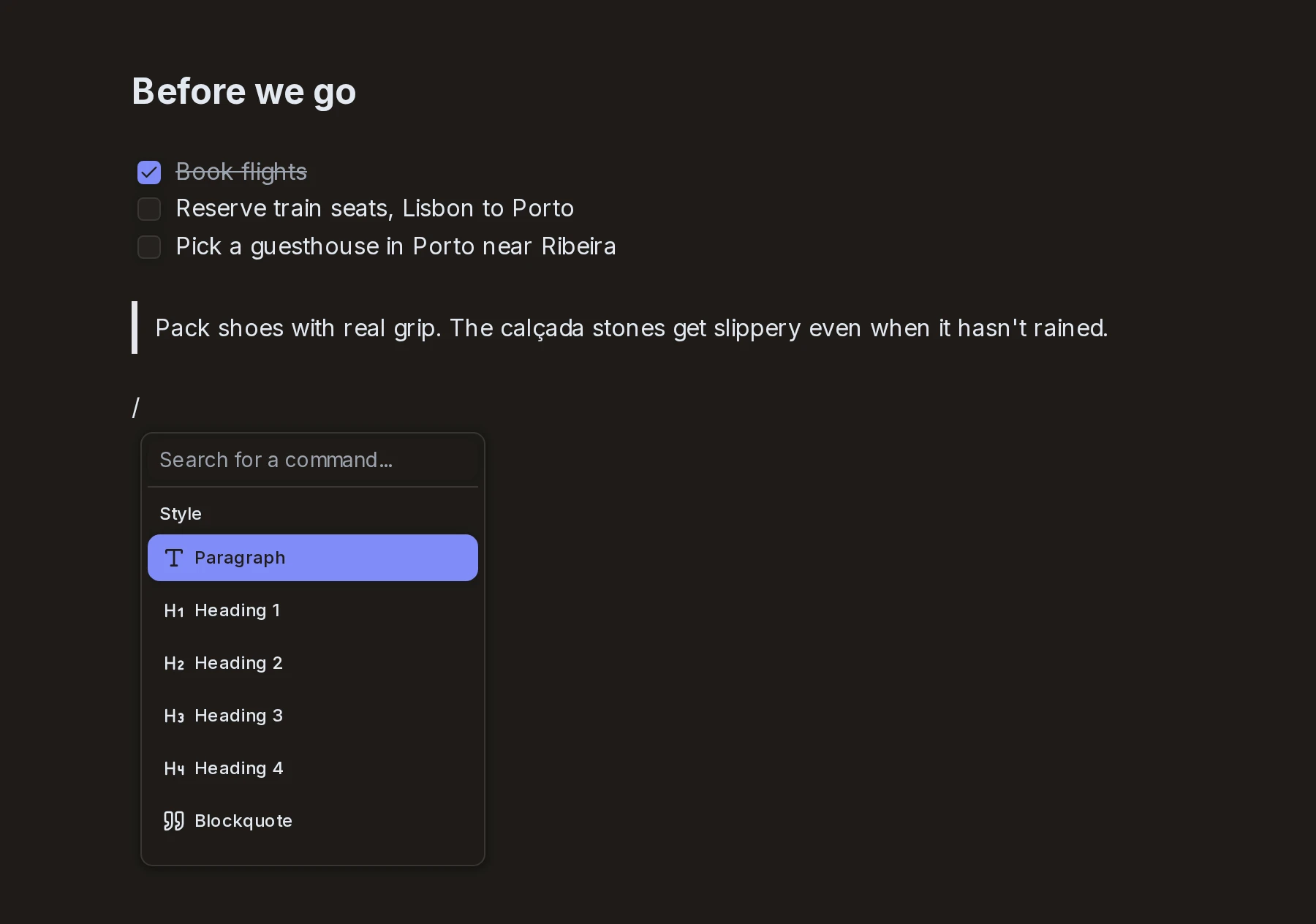
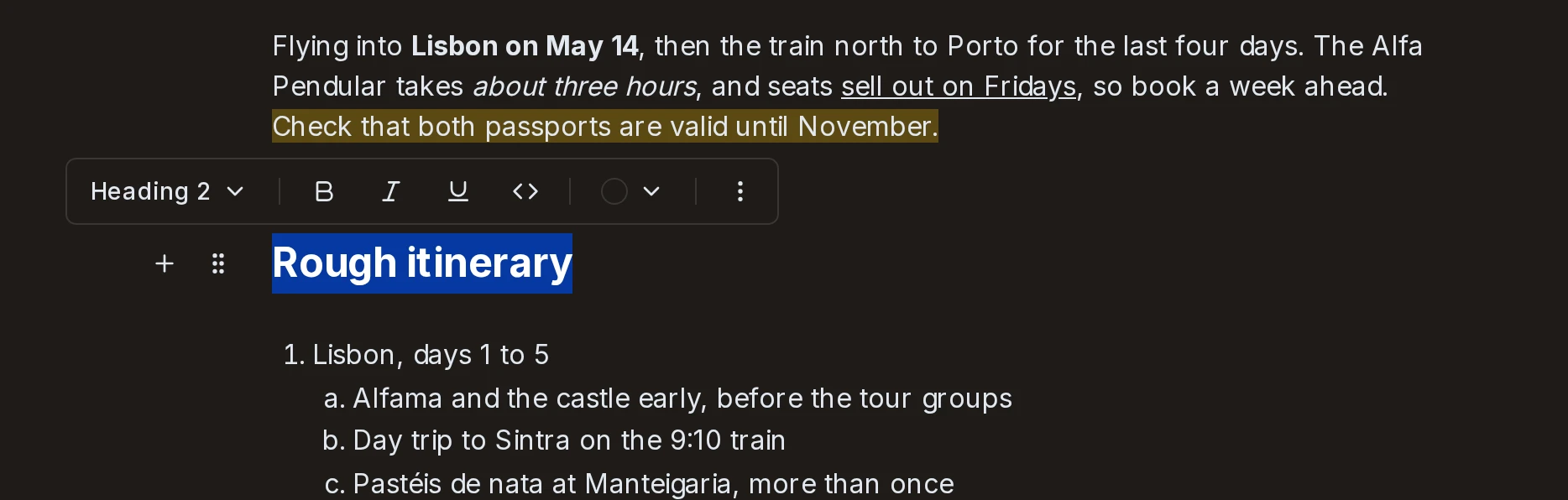
- The editor. Headings, quotes, dividers, and bulleted, numbered and checklist items that nest. Bold, italic, underline and the rest of the usual formatting, plus highlights in eight colors. Typing
/opens a menu of block types and:opens an emoji picker. Selecting text shows a toolbar, on phones too. - Notes that work offline. Every change is saved to the browser's database and added to a queue, and the queue goes to the server whenever you're online. When the app pulls changes from the server, a note keeps any of your edits that haven't been sent yet.
- Organizing. Folders with an emoji each, favorites, archive, trash, and search.
- An AI assistant. You give it an instruction for a block, its answer streams into the block, and you keep it or discard it.
- Export to Markdown or HTML.
Stack. Next.js, tRPC, Prisma and Postgres, Dexie, Better Auth, Tailwind with shadcn/ui, Floating UI, and the Vercel AI SDK with Gemini.
Why I built it
I wanted to learn how a text editor works. Libraries like Tiptap and Lexical handle the hard parts for you, and I wanted to find out what those parts are. I also wanted a hard project I could show.
Spotlight: writing the editor
Browsers can already edit text. That's what contentEditable does, but each browser does it a little differently, and you don't control what it produces. So my editor cancels every edit before the browser makes it. When you type a letter, the browser fires a beforeinput event. The editor stops it, works out what you meant, changes its own copy of the note, and React draws the note again.
A note is a flat list of blocks. Each block is plain text plus a list of formatting ranges, like bold from character 4 to 9. Lists are flat too. Each item stores which list it's in and how far it's indented, and the nesting is built when the note is drawn.
The hard part was keeping all of that in step with what's on the page.
- The caret. The editor thinks of the caret as a block and a character count, and the browser only knows a spot in the page. Before every edit the editor reads the caret from the page, and after every change it puts the caret back. Firefox handles selections differently, and near the end I rewrote this code to support it.
- Formatting at the caret. If you press Ctrl+B with nothing selected, nothing on the page changes, but the next letter you type has to be bold. The editor keeps a separate set of marks for the next letter, and drops them when you move the caret. This one took me several rounds of fixes.
- Speed. Every keystroke draws the note again. After a change, the editor reuses every block that didn't change, so React skips them and only redraws the one you're typing in.
- Starting over. Three weeks in, my first version wasn't extendable, so I rewrote it. In the first version, each key press ran one big operation, like merging two blocks, and that operation had to handle every case and place the caret on its own. When I added lists, deleting or merging could leave a list broken. So I added a cleanup that ran after a hand-picked set of operations, and every new operation meant remembering to add it to that set. In the new version, every edit is a transaction made of small steps that can be combined. Picking an emoji, for example, moves the caret back to the
:you typed, deletes it, and inserts the emoji, all in one transaction. A cleanup pass runs after every transaction. It fixes things like a list item indented two levels deeper than the item above it, so no single step has to get those rules right.
What I learned
An editor is a great place for tests. It's a pile of small rules, like what Backspace does at the start of an indented list item, and each one is easy to test and easy to break.
Links. It's live, so you can try it, and the source is on GitHub.